

Neck Pain: A Modern Plague Linked to the Workstation
Neck pain is a frequent issue for those spending long hours at workstations, primarily caused by poor ergonomics and improper posture. This leads to muscle tension in the neck, shoulders, and upper back. Simple workstation adjustments can help prevent discomfort and protect neuro-musculoskeletal health.
Why Does Your Workstation Cause Neck Pain?
A screen set too low forces the head forward, increasing pressure on cervical vertebrae and neck muscles. A badly adjusted chair without lumbar support or incorrect height also misaligns the spine. Staying in static positions too long without breaks adds muscle tension. Incorrect placement of keyboard or mouse causes awkward postures and repetitive strain, raising the risk of torticollis, shoulder tendinopathies, or elbow epicondylitis.
The Impact of Poor Ergonomics
Poor ergonomics leads to neck muscle tension, eye fatigue, and headaches. Forward head tilt or slumped shoulders pressure the cervical and thoracic spine, limiting mobility and causing chronic stiffness. These issues worsen without correction, reducing concentration and productivity.
The Basic Principles of Good Office Ergonomics
1. Chair Adjustment
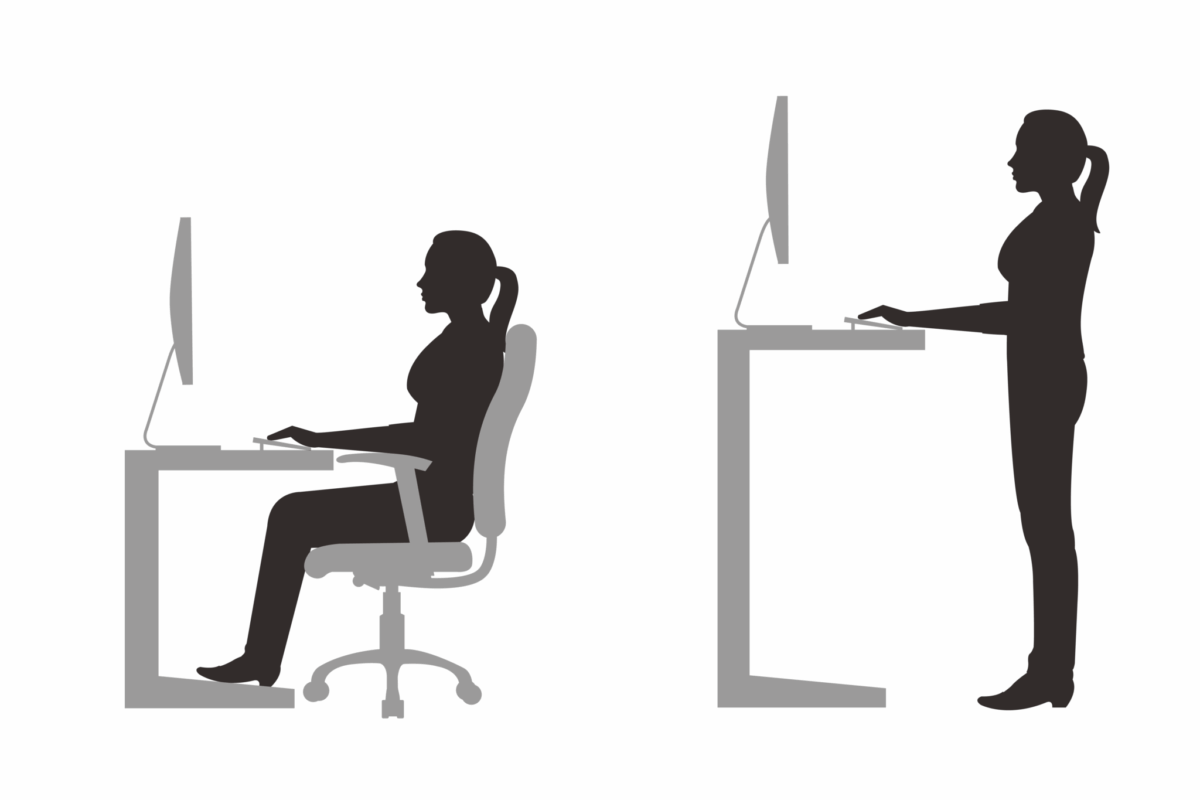
A chair must support the lower back with an adjustable backrest, allow feet flat on the floor or footrest, keep knees level with hips, elbows bent at 90° close to the body, and shoulders relaxed.
2. Screen Position
The screen’s top third should be at eye level and about an arm’s length away to maintain a straight head without forward tilt.
3. Desk Organization
Keep keyboard and mouse within reach, use a document holder when needed, and avoid twisting the body sideways for accessories.
Practical Tips to Prevent Neck Pain
Prevent Neck Pain with a Dynamic Posture
Varying positions is key; staying still creates pressure points. Alternate sitting and standing, take breaks every 45 to 60 minutes, and use adjustable desks if available.
Effective Stretches Against Neck Pain
Simple desk exercises like shoulder rolls, gentle head inclinations side to side, and seated self-lengthening relieve tension and stimulate circulation.
Adjust Lighting
Good lighting prevents poor posture such as leaning toward screens, which increases neck tension. Favor natural light or indirect lighting, and add adjustable lamps for detailed tasks to reduce visual fatigue and improve posture.
When to Consult a Professional?
If neck pain becomes recurrent or limits daily activities, consulting a healthcare professional like a chiropractor is recommended. They assess posture and musculoskeletal imbalances and create tailored plans to relieve pain and improve well-being. Discover more on our Services offered at the clinic or browse Chiropractors in Quebec.
Recommended Ergonomic Tools and Accessories
Useful Equipment
- Adjustable monitor stand
- Ergonomic chair with lumbar support
- Footrest
- Vertical mouse
- Mouse pad with wrist support
Common Mistakes to Avoid in Workstation Setup
Common errors include screen placed too low or high, non-adjustable chairs without lumbar support, lack of footrests when needed, and a distant mouse or keyboard causing muscle tension.
Comparison Between Home and Office Workstations
Home offices often lack ergonomic equipment and appropriate lighting, unlike offices with certified setups. However, the home environment allows more posture variety and breaks. Best practice combines proper equipment with flexibility.
Common FAQ About Neck Pain at Work
Are neck pains caused only by the screen?
No. The screen’s position is a factor, but neck pain results from multiple ergonomic issues and poor posture habits, detailed here.
Should I consult a professional at the first signs of pain?
Yes, early consultation improves chances of quick recovery.
Are ergonomic adjustments enough to resolve the pain?
They are essential but usually need to be combined with exercises and chiropractic care.
Can I use cushions or towels to temporarily improve my posture?
Yes, these temporary solutions help if positioned correctly while acquiring better equipment.
Conclusion: Prevention starts with action
Adjusting your workstation is an investment in health. Adopting ergonomic posture, moving regularly, and consulting professionals prevents neck pain and enhances overall well-being. Take charge today: contact a chiropractor near you or discover more tips on our blog.